> For the complete documentation index, see [llms.txt](https://doc.simax.fr/llms.txt). Markdown versions of documentation pages are available by appending `.md` to page URLs; this page is available as [Markdown](https://doc.simax.fr/parametrage/les-options.md).
# Les options
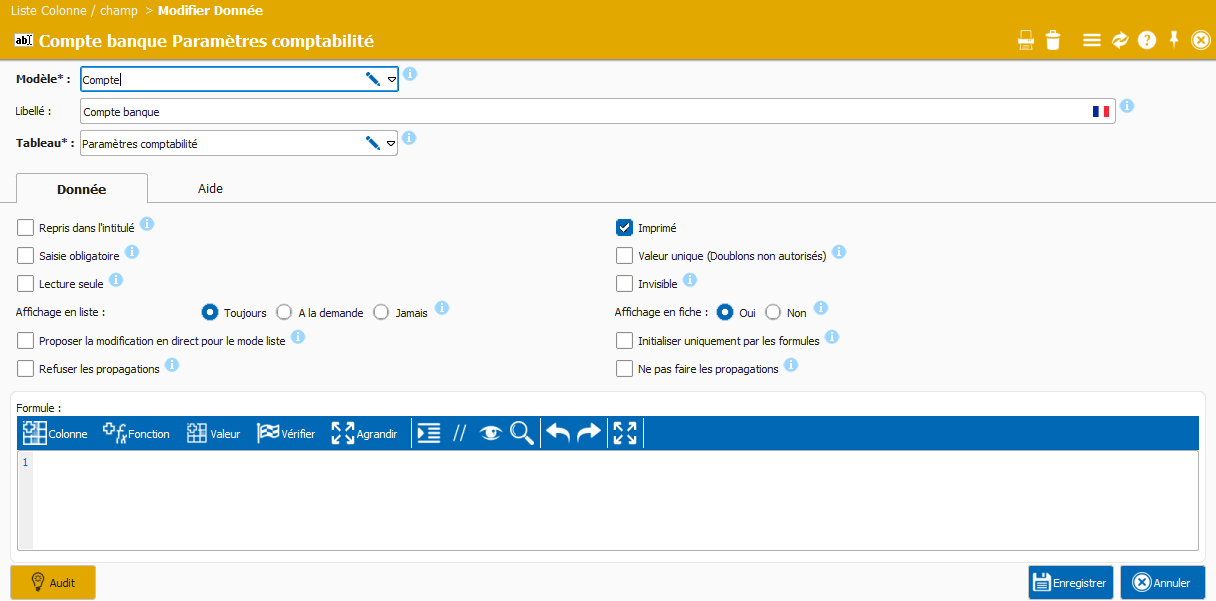
SIMAX se démarque par sa flexibilité et sa personnalisation, permettant aux utilisateurs d'ajouter des options via des listes déroulantes pour une interface simplifiée. Cette approche évite la complexité des cases à cocher tout en offrant des fonctionnalités avancées pour des cas d'utilisation spécifiques. Les utilisateurs peuvent facilement indiquer des valeurs dans la zone "Option", optimisant ainsi leur expérience. En somme, SIMAX allie ergonomie et efficacité pour répondre aux besoins variés des entreprises.
SIMAX permet d'utiliser des valeurs comme CODEBARRE=QRCODE pour indiquer que le champ est un code-barres de type QR Code, et non simplement un champ texte. Cela facilite la personnalisation tout en clarifiant l'utilisation des champs.
---
# Agent Instructions
This documentation is published with GitBook. GitBook is the documentation platform designed so that both humans and AI agents can read, navigate, and reason over technical content effectively. Learn more at gitbook.com.
## Querying This Documentation
If you need additional information that is not directly available in this page, you can query the documentation by asking a question.
Perform an HTTP GET request on the following URL with the `ask` and `goal` query parameters:
```
GET https://doc.simax.fr/parametrage/les-options.md?ask=&goal=
```
`ask` is the immediate question: it should be specific, self-contained, and written in natural language.
`goal` is what the user is ultimately trying to achieve, the reason they need the answer. Sharing it helps GitBook give you a better, more relevant answer. A goal is most helpful when it describes the outcome the user wants rather than restating the question. For example, with `ask=how do I create an API token`, a goal like `automate deployments from our CI pipeline` lets GitBook tailor the answer to that use case.
The response will contain a direct answer to the question and relevant excerpts and sources from the documentation.
Use this mechanism when the answer is not explicitly present in the current page, you need clarification or additional context, or you want to retrieve related documentation sections.