> For the complete documentation index, see [llms.txt](https://doc.simax.fr/llms.txt). Markdown versions of documentation pages are available by appending `.md` to page URLs; this page is available as [Markdown](https://doc.simax.fr/documentation-simax-anglais/functional/purchase/supplier-consultation.md).
# Supplier Consultation
## Context
MASOCIETE is reevaluating its fabric stock with a view to potentially producing cushions. A total requirement of 2,500 meters of fabric has been identified, requiring the purchase of an additional 1,300 meters. Initially, the company turned to its usual suppliers, COTONOUX and BELGIUM TEXTILE. The quotes received indicate a price of €12/meter from COTONOUX and €12.50/meter from BELGIUM TEXTILE. The order is finally placed with COTONOUX. However, there is a delay in delivery, prompting MASOCIETE to follow up. The delivery is then made, followed by the necessary checks and evaluations.
The purchasing process will be as follows:
* Consultation with suppliers
* Entry of price quotes
* Supplier order
* Supplier follow-up
* Receipt of supplier order
* Product control
* Quality control
* Supplier control
## Implementation in SIMAX
### Supplier Consultation
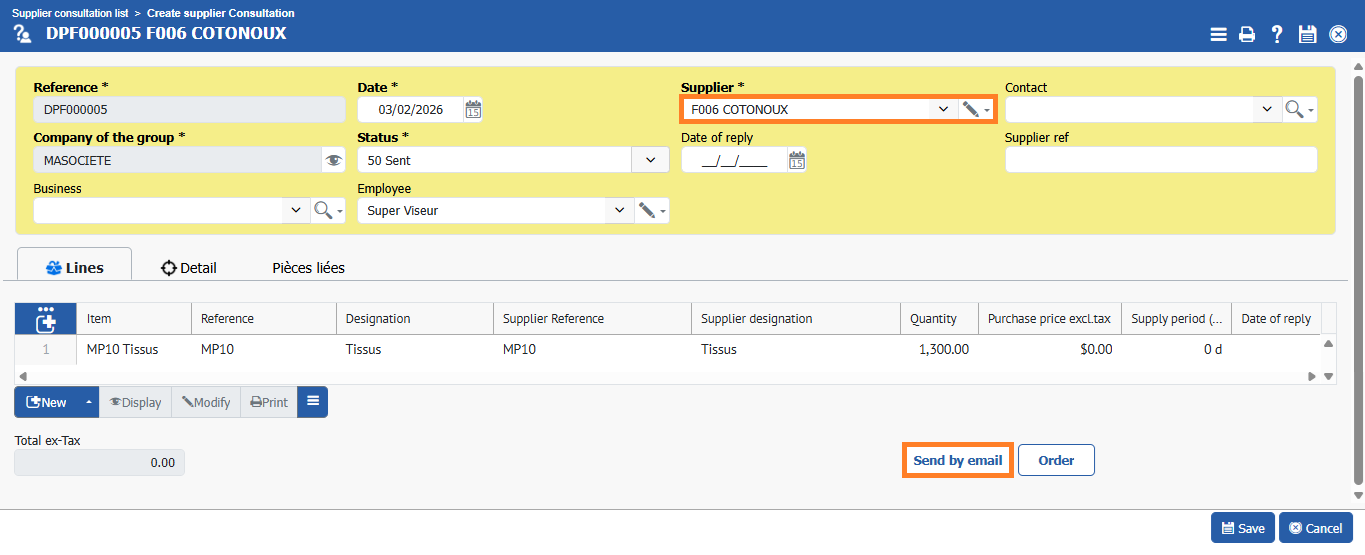
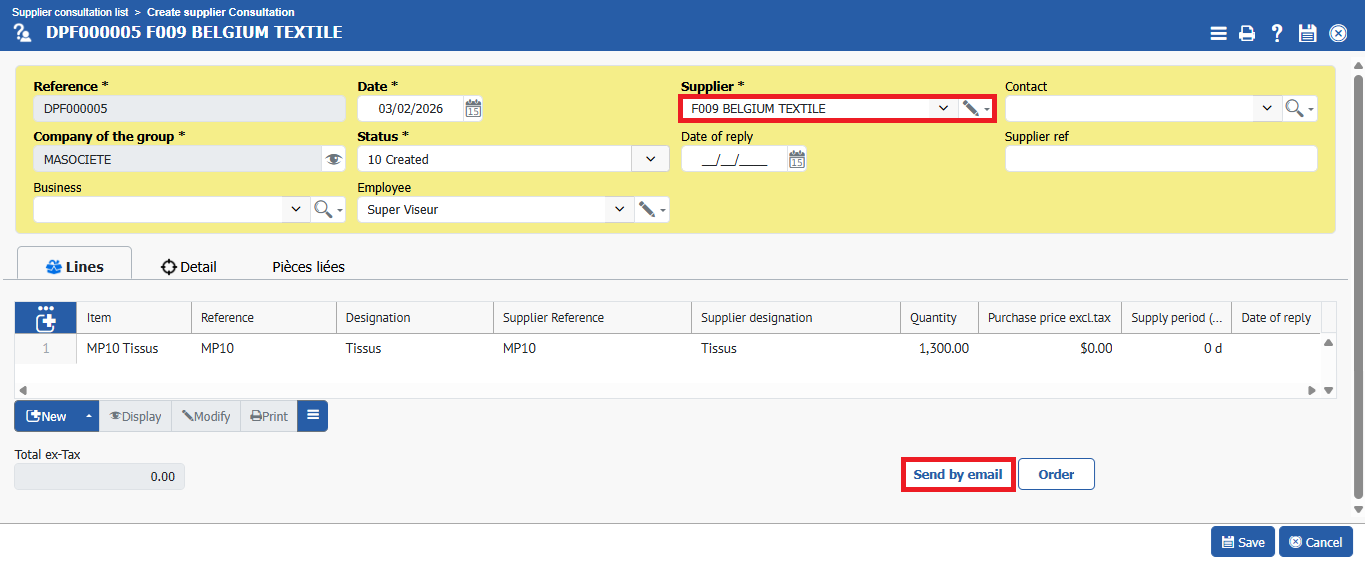
With regard to this huge fabric order, we will consult suppliers COTONOUX and BELGIUM TEXTIL to see if there has been any change in their unit prices.
To create the quote, we go to **Purchase > Consultation > Supplier consultation and \[\[New]].**
We will create the line without entering a price, then **\[\[Send by email]].**
## Price offers submitted
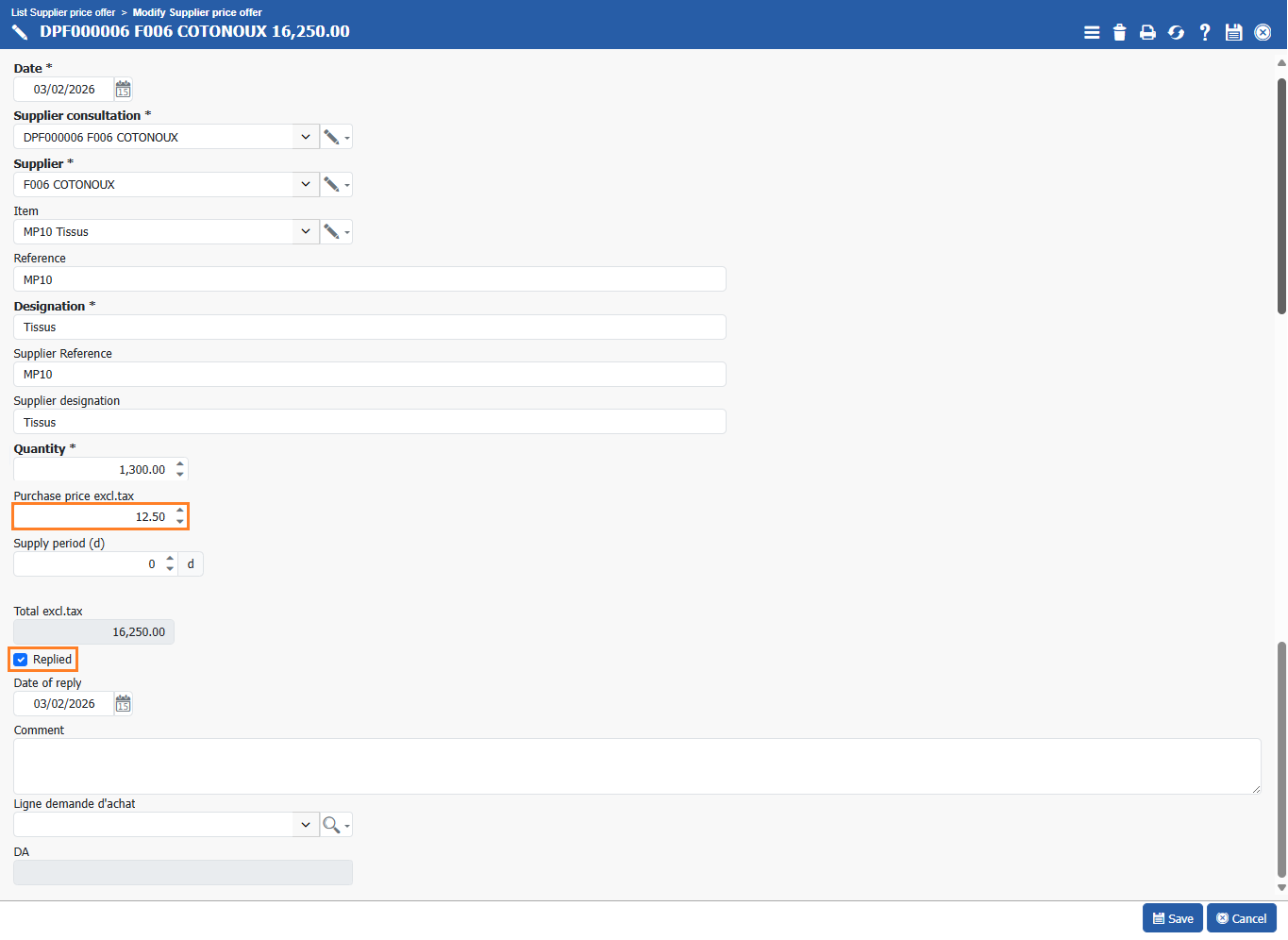
As soon as we receive responses from suppliers, we will enter the quotes in **Purchase > Consultations > Supplier price offers.**
We fill in the unit price, and the **“replied”** line will be checked automatically.
Let's finish by clicking **\[\[Save]].**
## Supplier order
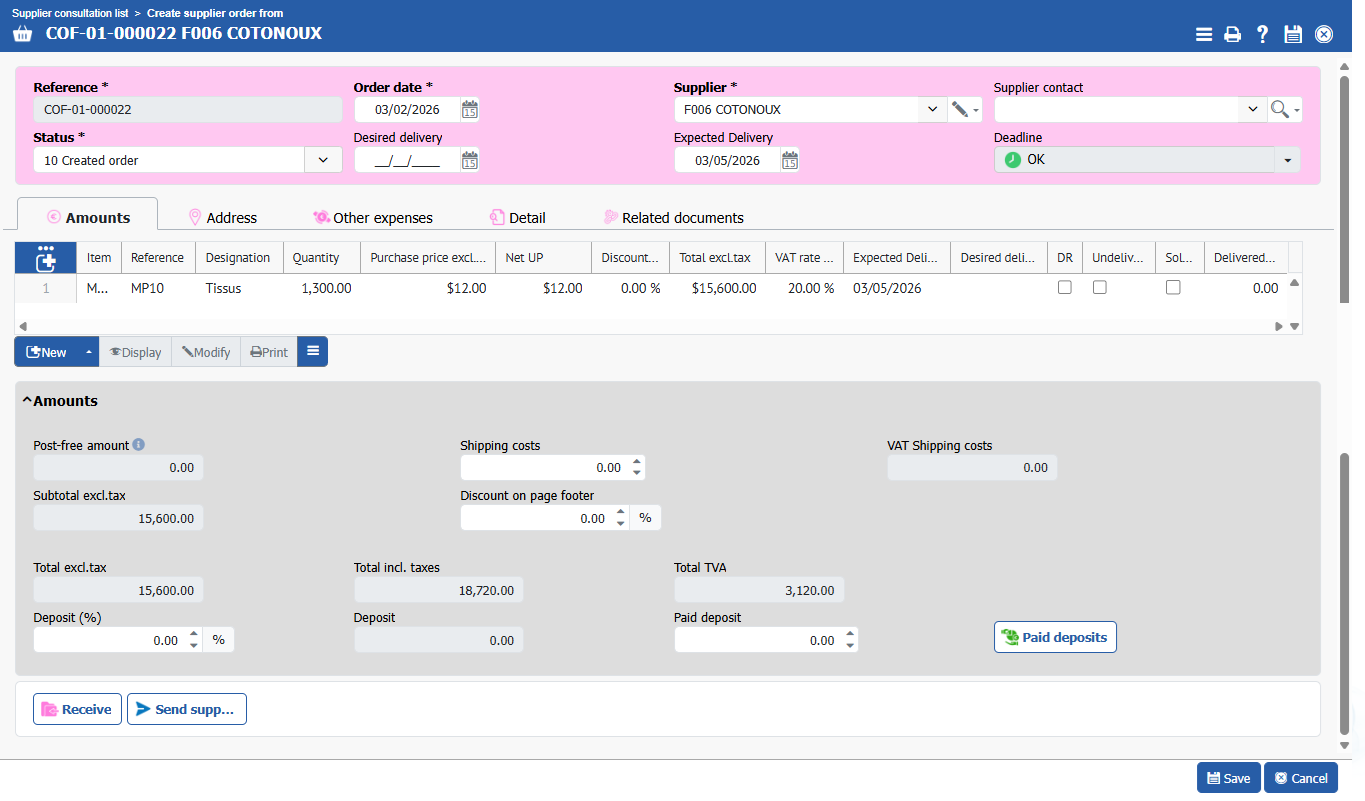
Next, go to **Purchase > Consultations > Supplier Consultations**, click on **\[\[order]]**, and the supplier order will be created.
And **\[\[Save]].**
To place the order, we then select the order and click on **\[\[Send supplier order by email]].**
## Supplier Reminders
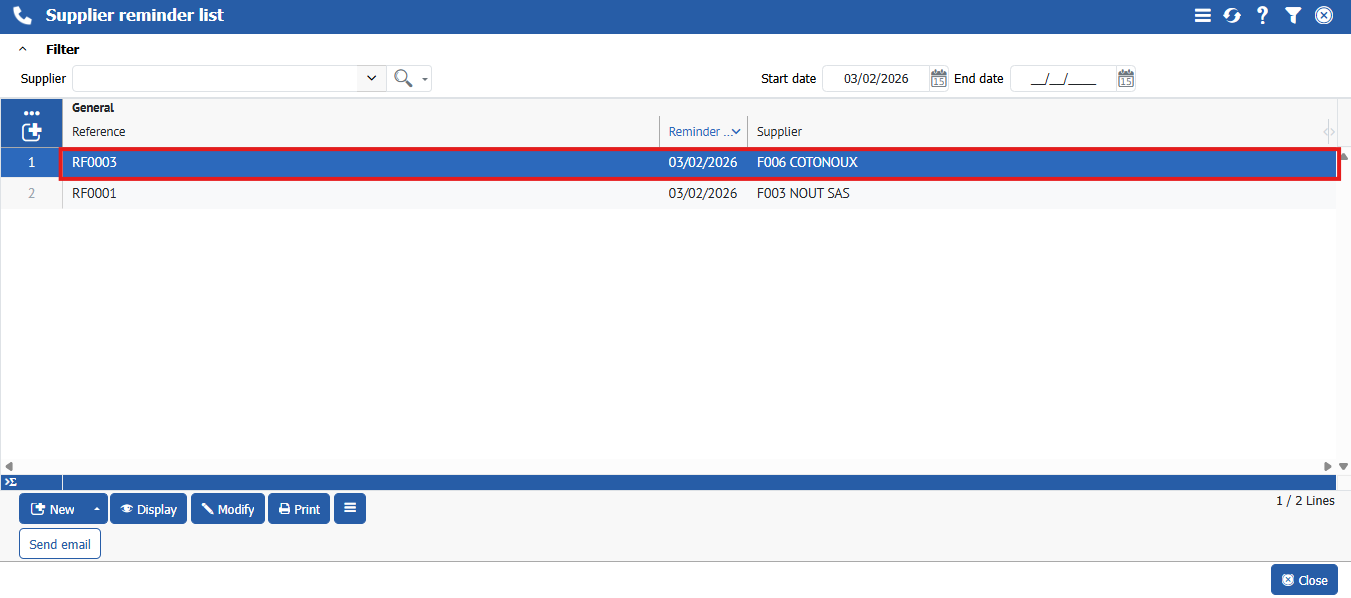
The order has been delayed. We need to follow up with our supplier. Our order is still in the list of items awaiting delivery, which we can see in **Purchase > Order > Late delivery items.**
Therefore, we go to **Purchase > Supplier Reminder > Follow-up Suppliers**, and once the reminders have been created, we need to **\[\[send email]]**.
The reminder is sent for all late orders.
## Order receipt
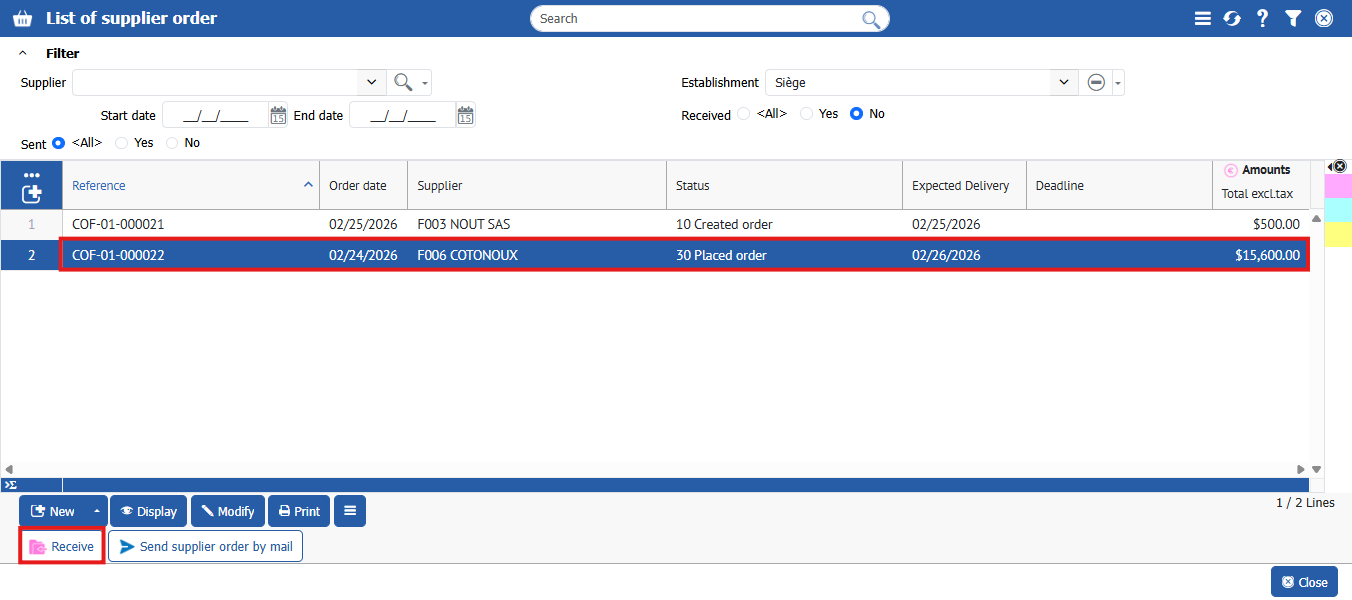
To receive the supplier order, we will select the relevant supplier order and click on **\[\[receive]]**.
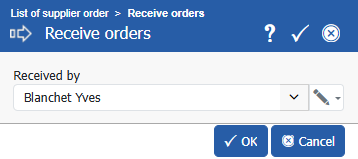
Let's choose who will receive the order and **\[\[ok]]**.
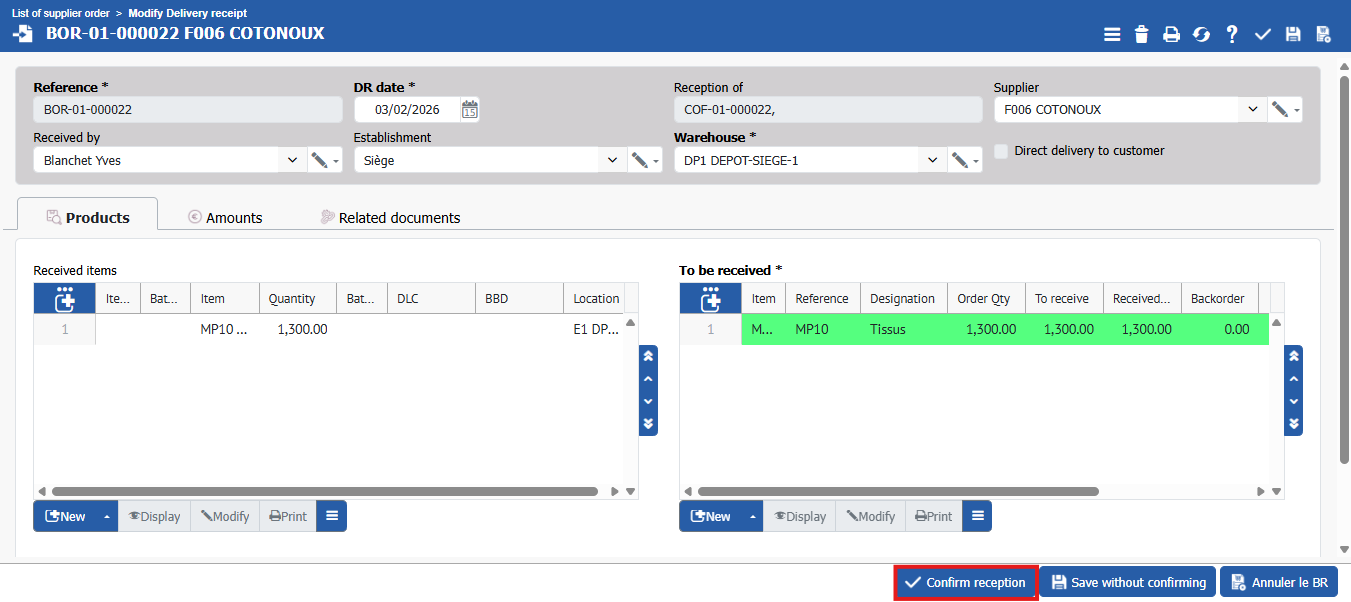
And let's finish by **\[\[Confirm reception]].**
### Product Control
### Quality control
### Supplier Quality Control
---
# Agent Instructions
This documentation is published with GitBook. GitBook is the documentation platform designed so that both humans and AI agents can read, navigate, and reason over technical content effectively. Learn more at gitbook.com.
## Querying This Documentation
If you need additional information that is not directly available in this page, you can query the documentation by asking a question.
Perform an HTTP GET request on the following URL with the `ask` and `goal` query parameters:
```
GET https://doc.simax.fr/documentation-simax-anglais/functional/purchase/supplier-consultation.md?ask=&goal=
```
`ask` is the immediate question: it should be specific, self-contained, and written in natural language.
`goal` is what the user is ultimately trying to achieve, the reason they need the answer. Sharing it helps GitBook give you a better, more relevant answer. A goal is most helpful when it describes the outcome the user wants rather than restating the question. For example, with `ask=how do I create an API token`, a goal like `automate deployments from our CI pipeline` lets GitBook tailor the answer to that use case.
The response will contain a direct answer to the question and relevant excerpts and sources from the documentation.
Use this mechanism when the answer is not explicitly present in the current page, you need clarification or additional context, or you want to retrieve related documentation sections.