> For the complete documentation index, see [llms.txt](https://doc.simax.fr/llms.txt). Markdown versions of documentation pages are available by appending `.md` to page URLs; this page is available as [Markdown](https://doc.simax.fr/documentation-simax-anglais/functional/purchase/purchase-request.md).
# Purchase request
Field case
**Summary process**
* Requirement (Sales Department)
* Creation of purchase request (Sales Department)
* Submission (Sales Department)
* Consultation with suppliers (Purchase Department)
* Entry of price quotes (Purchase Department)
* Validation request (Purchase Department)
* Validation (Management/Validator/Head of Purchase Department)
* Order (Purchase Department)
Detailed context:
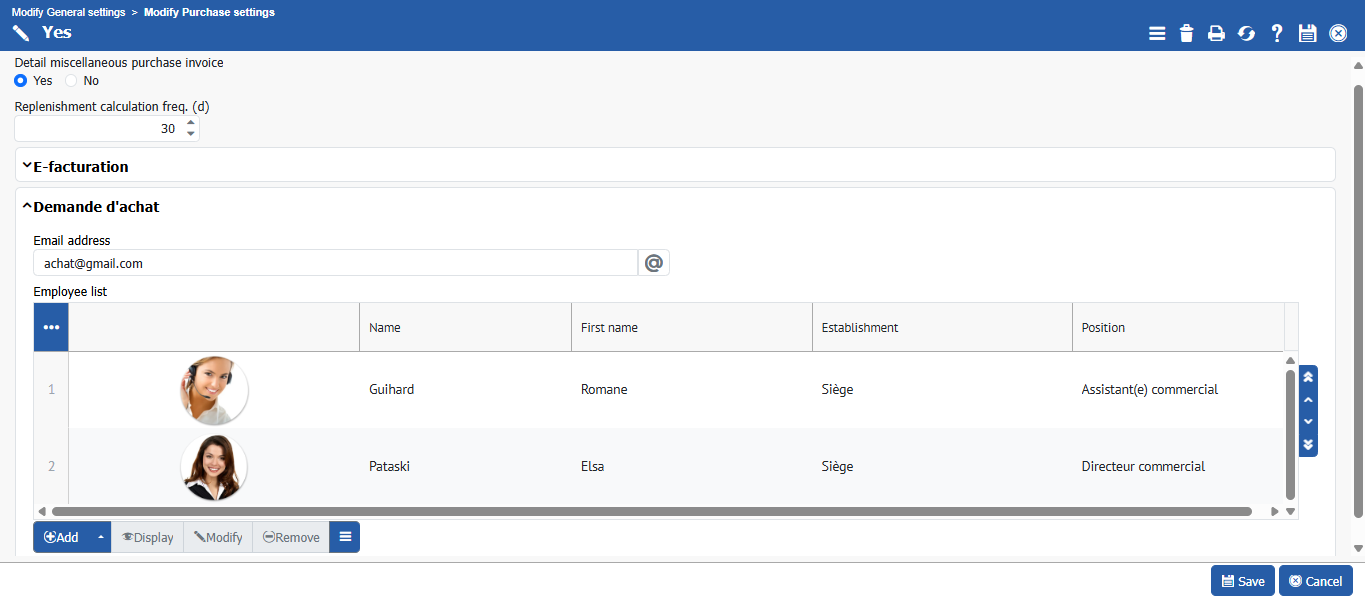
LuxSeat, a large company specializing in the bulk sale of high-end chairs, recently implemented a new procedure called **“Purchase Request**” for its orders. The purchase department must now configure the email address for receiving alerts related to these requests in the system, as well as define the list of validators involved.
A new customer, **EK France**, has placed an exceptional order for **10,000 chairs** to be delivered by **December 30, 2025.** Realizing that the available stock is insufficient to meet this demand, the sales manager decides to create a **purchase request** to supply the missing chairs. To do this, the sales department specifies the precise requirement of 10,000 units. Once the request has been recorded, it is forwarded to the purchasing department, which automatically receives an email alert informing it of the order to be processed.
Next, the purchase department quickly consults various suppliers to compare the best price for the chairs needed by the end of the year. They see that they already have **AGUILA MECANIQUE, RENAULT, and NOUT SAS** as suppliers. By accepting the action, an automatic email requesting a quote is sent to the suppliers.
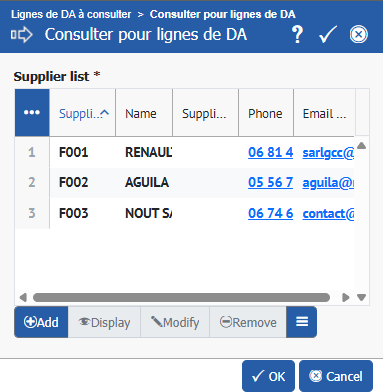
Following the purchase request, the purchasing department quickly consults various suppliers in order to compare prices and meet the deadline set for the end of the year. The department manager selects the relevant request, clicks on the **“Consult supplier”** button, and sees that three partners are already listed: **AGUILA MÉCANIQUE, RENAULT**, and **NOUT SAS.** When the action is confirmed, the system automatically generates a price request email sent to these suppliers.
The suppliers contacted each respond with their price proposals for the **10,000 chairs: AGUILA MÉCANIQUE** sets the price at **€3** per unit, **RENAULT at €2.50**, and **NOUT SAS at €4.** Once these offers have been recorded in the system, the sales department notes that the consultation is complete. In the request, the software automatically displays the supplier that submitted the lowest price, in this case **RENAULT**. However, upon reviewing the details of the proposals, the sales department supervisor notes that **AGUILA MÉCANIQUE**, although more expensive (**$3 per unit)**, offers a delivery time of 90 days, which is more advantageous than the delivery times offered by the other two suppliers, which are **100 and 109 days,** respectively.
Once the supplier has been selected, the sales department supervisor informs management in order to obtain approval for the order. Upon receipt of the **“Approval Request,”** one of the approvers accesses the system, selects the relevant request, and then approves it. The purchase department then sees that the request appears as approved in the list of purchase requests. This step allows the purchasing department to go to the **list of requested items**, select the one corresponding to the chosen supplier, and then finalize the process by ordering the chairs.
## Implementation in SIMAX
### Requirements
In **Settings > Plug-ins and option > \[\[Purchase]]**, enter the Purchase request alert email address and fill in the table displaying the list of Validators in the **Purchase request** section.
### Create purchase request
To create a purchase request, go to **Purchase > Purchase Requests > Create Purchase Request.**
Then click **\[\[Save]].**
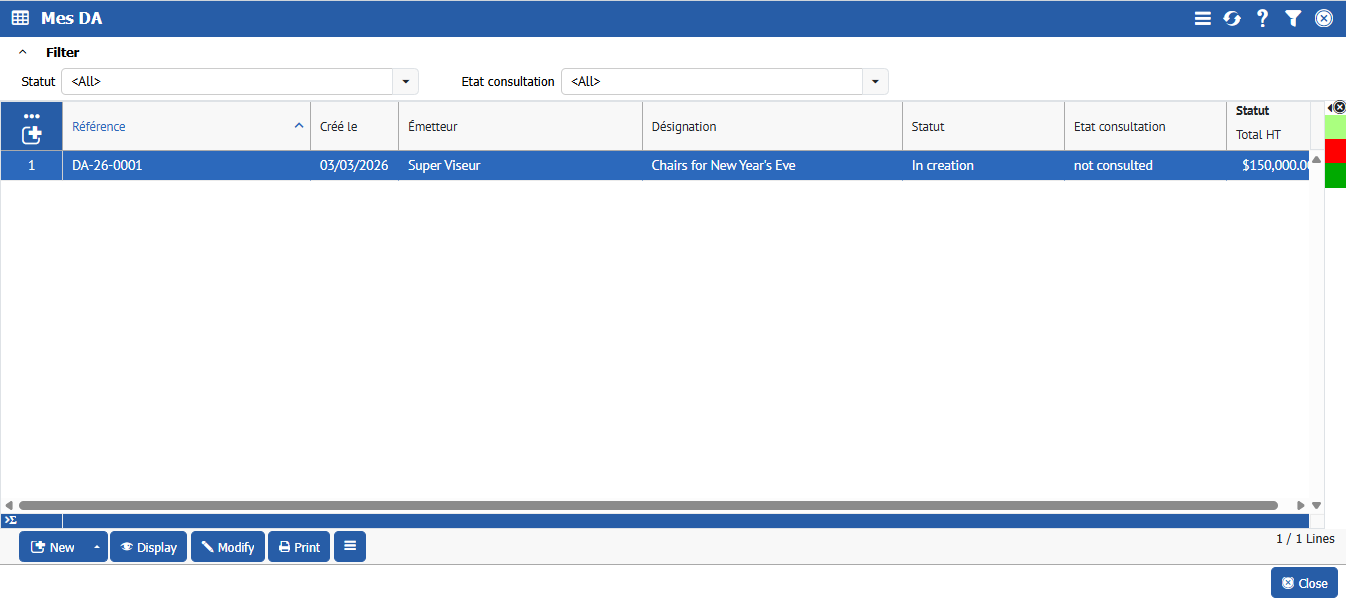
In the list of purchase requests, the sales department supervisor submits the request to the purchase department by selecting the relevant request and clicking **\[\[Submit]].**
### Supplier consultation
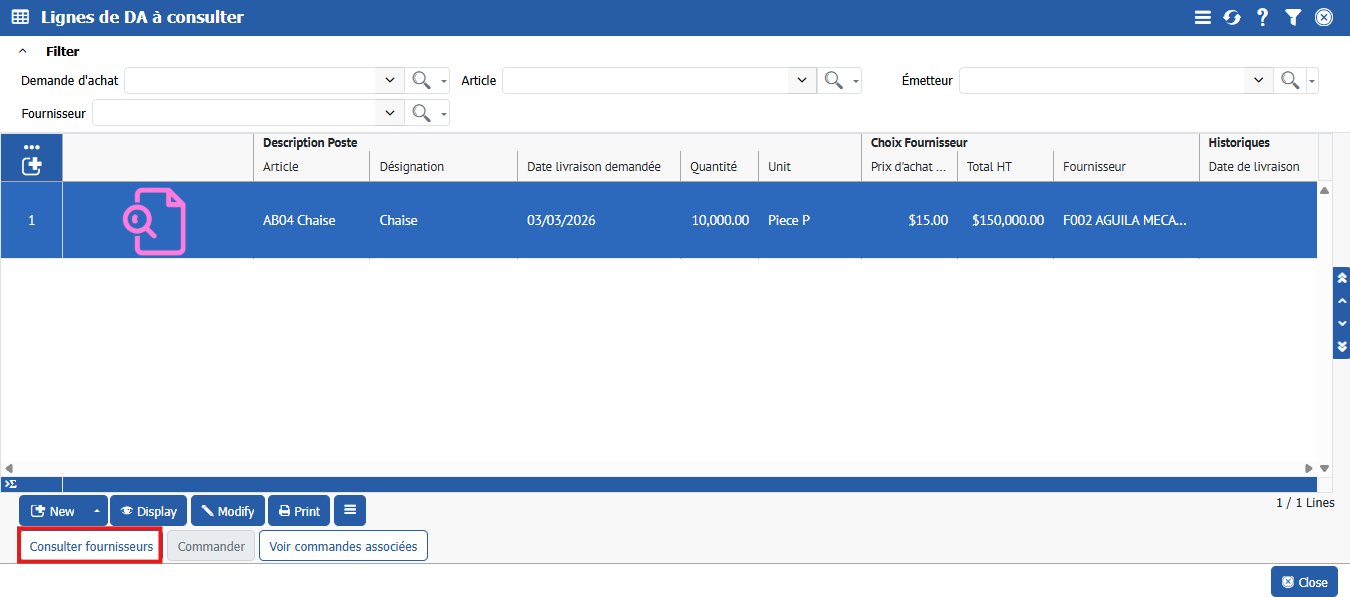
To view suppliers, go to **Purchase > Consultations > DA lines to consult.**
Click on **\[\[Consult supplier]]**
and you will see a list of your chair suppliers like this
By clicking **\[\[OK]]** now, a request for prices will be sent to the suppliers so that they can prepare a quote.
### Analysis of offers received and selection of supplier
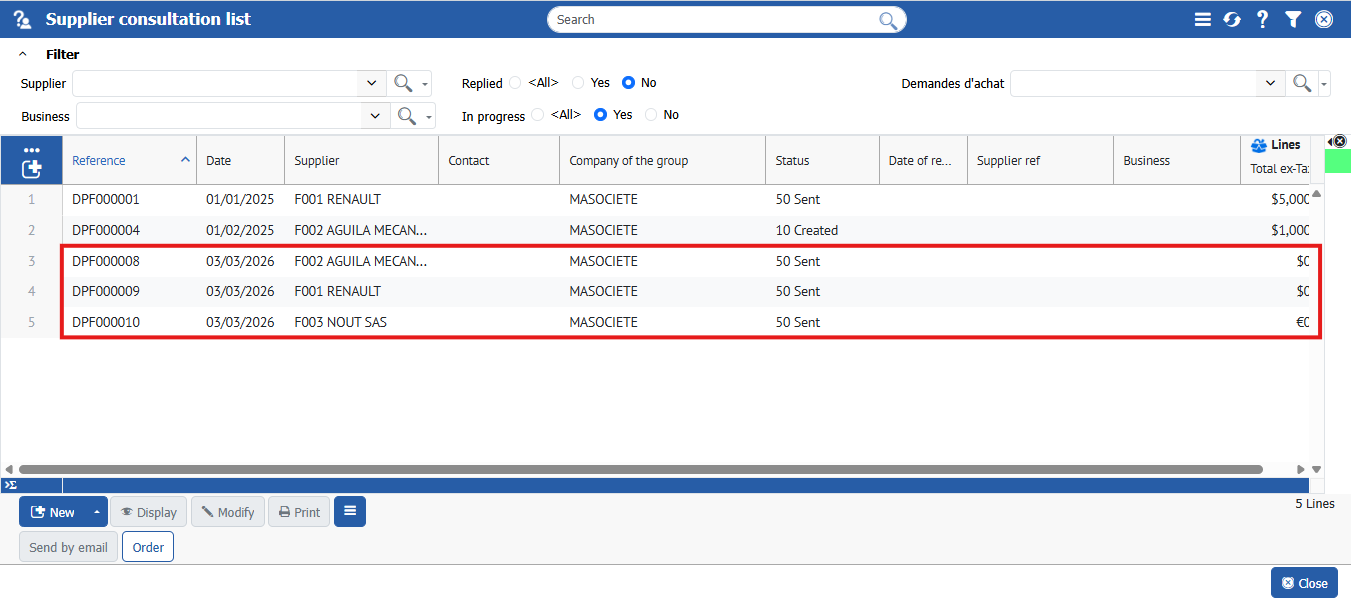
To view the offers sent by suppliers, go to **Purchase > Consultations > Supplier Consultation.**
Enter the details for each one, and fill in the price that each supplier has given you.
Example:
Click **\[\[OK]]**. Repeat this process for each supplier.
They will no longer appear in the Supplier Consultation list.
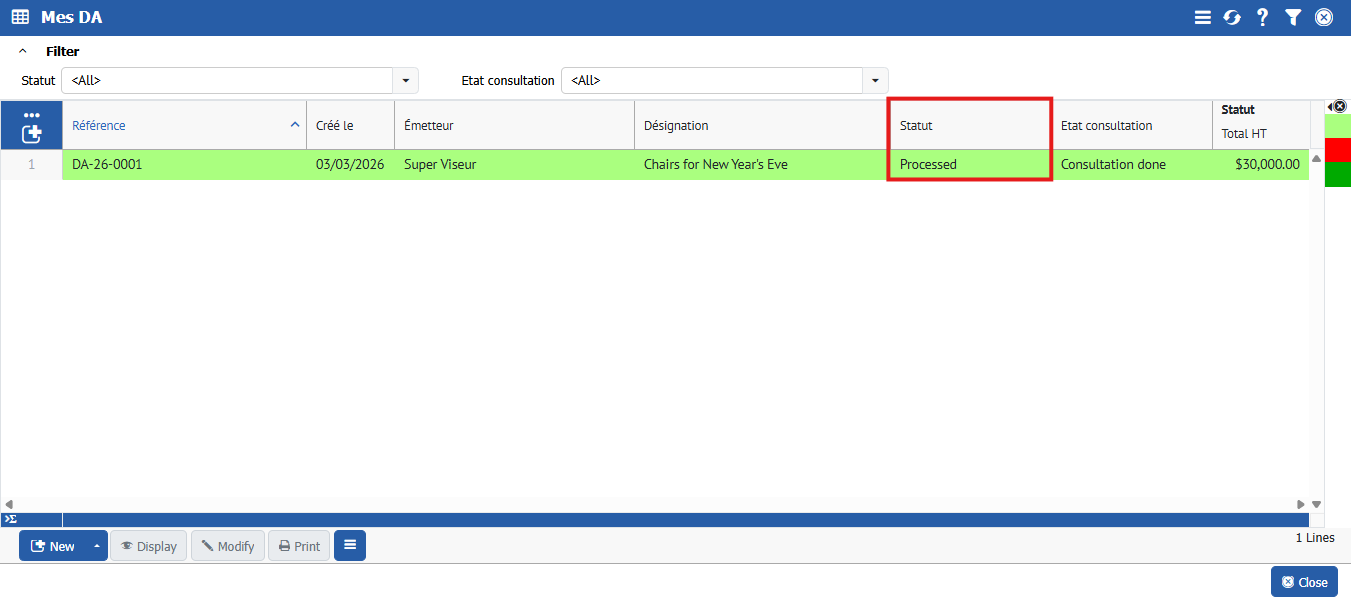
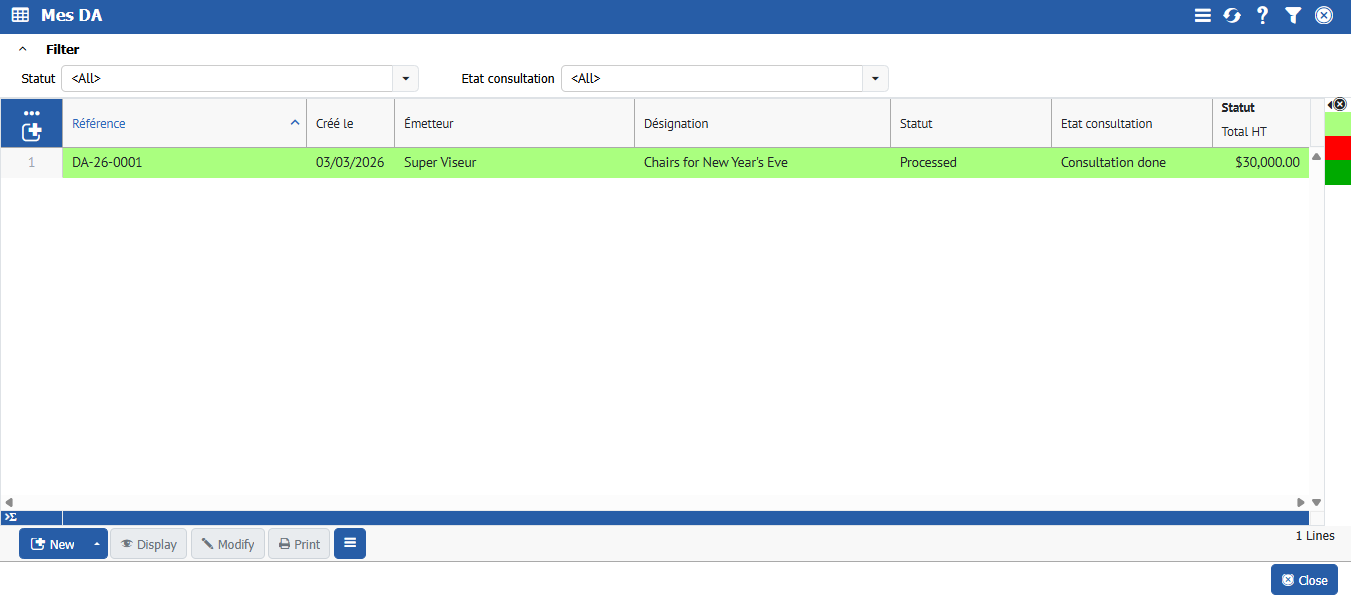
Go to **Purchase> Purchase Requests > Purchase Request List** to see that the request has automatically changed to Consultation Completed.
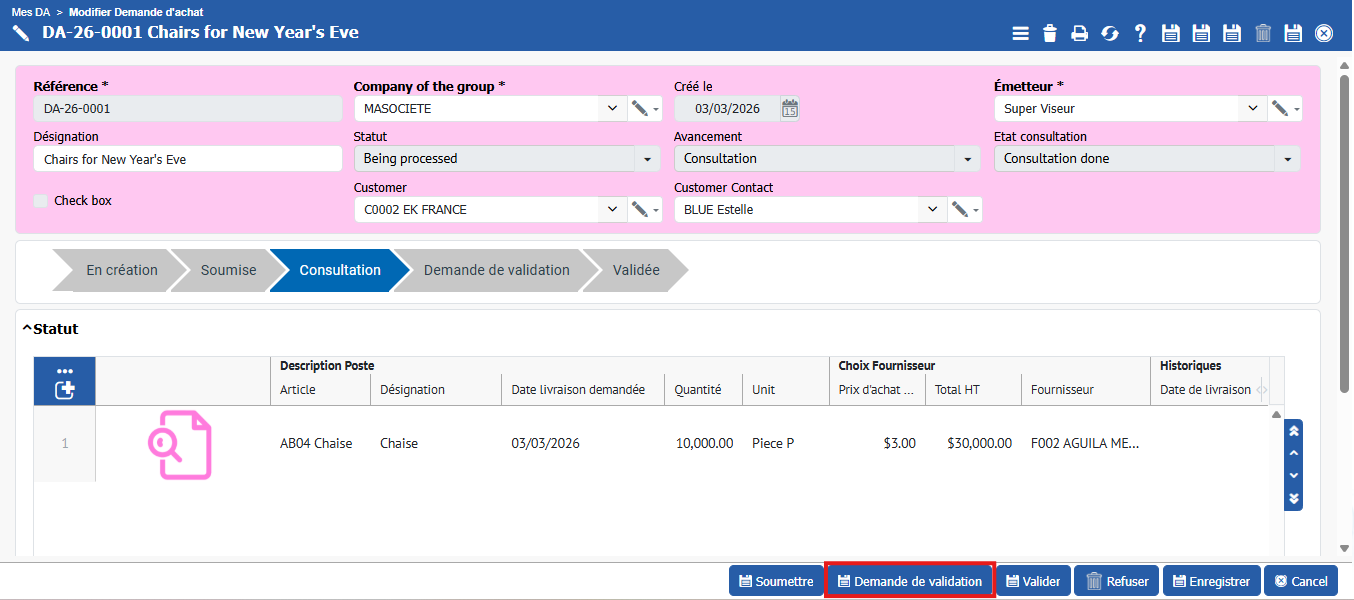
Double-click on the request, enter the details of the request line, and you will see the price quotes that your suppliers have sent you along with their delivery times.
***Note:***
{% hint style="success" %}
SIMAX immediately saw that RENAULT offered the lowest price, so he chose it.
{% endhint %}
But here, AGUILA MÉCANIQUE was chosen because even though it is a little expensive (3 euros), it has a fairly attractive delivery time compared to the other two (90 days).
### Request validation and order launch
To proceed to the next step, stay in the purchase request list, select the request, and click **\[\[Request for approval]]** so that the approvers listed in the prerequisites can approve it.
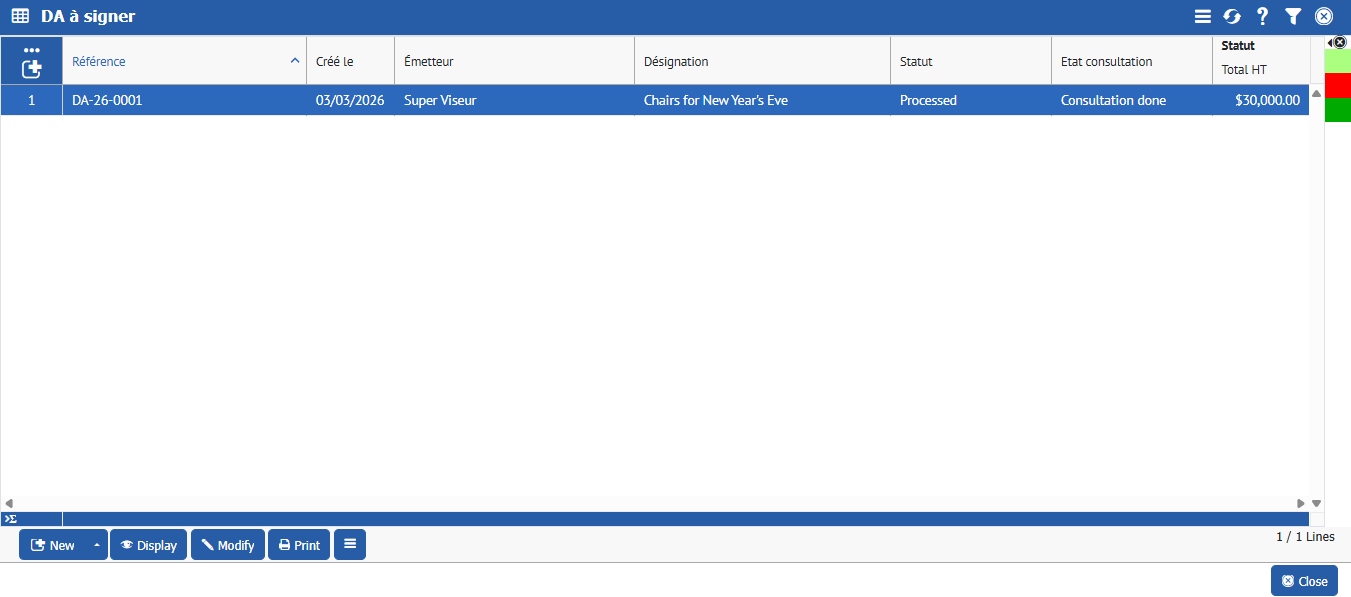
Then, in **Purchase > Purchase Requests > Purchase Requests to Approve**, only one of the approvers selects the request and clicks **\[\[Approve]].**
When you go to **Purchase > Purchase Requests > Purchase Request List**, you will see that the request has been approved.
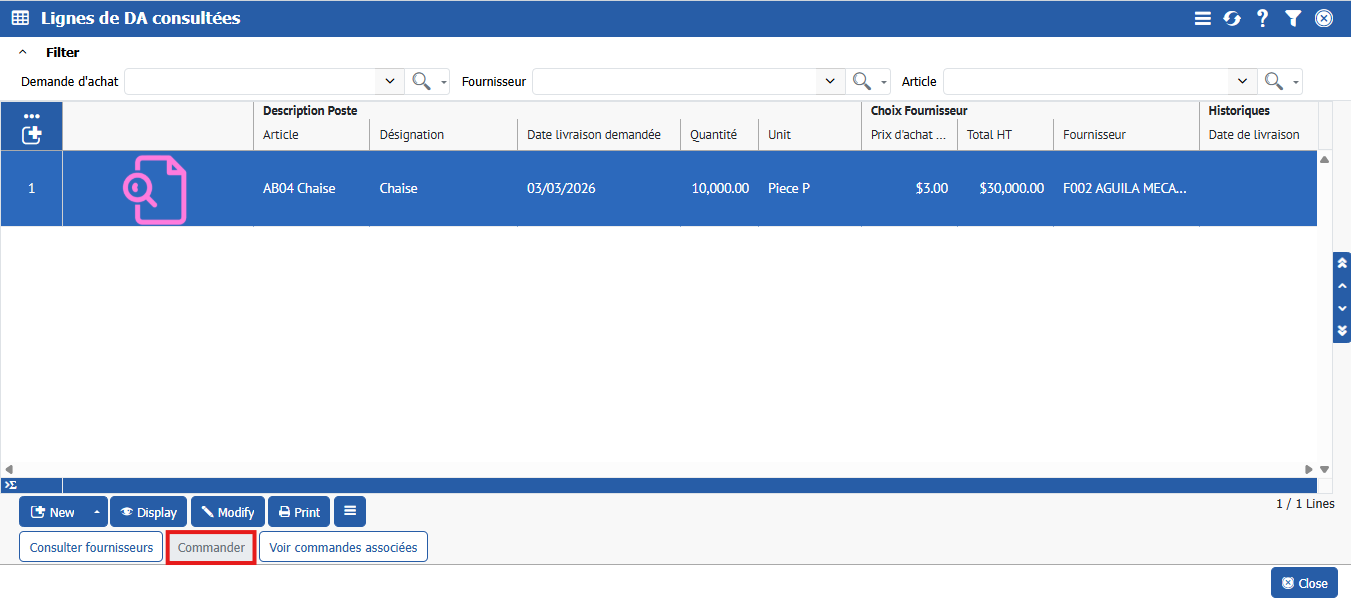
In **Purchase > Consultations > PR lines consulted**, select the requested item, and you can now **\[\[Order]]**.
---
# Agent Instructions
This documentation is published with GitBook. GitBook is the documentation platform designed so that both humans and AI agents can read, navigate, and reason over technical content effectively. Learn more at gitbook.com.
## Querying This Documentation
If you need additional information that is not directly available in this page, you can query the documentation dynamically by asking a question.
Perform an HTTP GET request on the current page URL with the `ask` query parameter, and the optional `goal` query parameter:
```
GET https://doc.simax.fr/documentation-simax-anglais/functional/purchase/purchase-request.md?ask=&goal=
```
`ask` is the immediate question: it should be specific, self-contained, and written in natural language.
`goal` is optional and describes the broader end goal you are ultimately trying to accomplish on behalf of the user. GitBook uses it to tailor the answer towards what is most useful for that goal.
The response will contain a direct answer to the question and relevant excerpts and sources from the documentation.
Use this mechanism when the answer is not explicitly present in the current page, you need clarification or additional context, or you want to retrieve related documentation sections.