> For the complete documentation index, see [llms.txt](https://doc.simax.fr/llms.txt). Markdown versions of documentation pages are available by appending `.md` to page URLs; this page is available as [Markdown](https://doc.simax.fr/documentation-simax-anglais/functional/production/production-preparation-item-to-be-produced-bills-of-materials-and-ranges.md).
# Production preparation: item to be produced, bills of materials, and ranges
Before starting production, the company must identify the item to be manufactured. They then use bills of materials to list the necessary components, as well as work instructions to define the manufac
## Item to be produced:
Once a customer order has been received, the company must create the item(s) to be produced.
***Here is the case of a bag manufacturing company:***
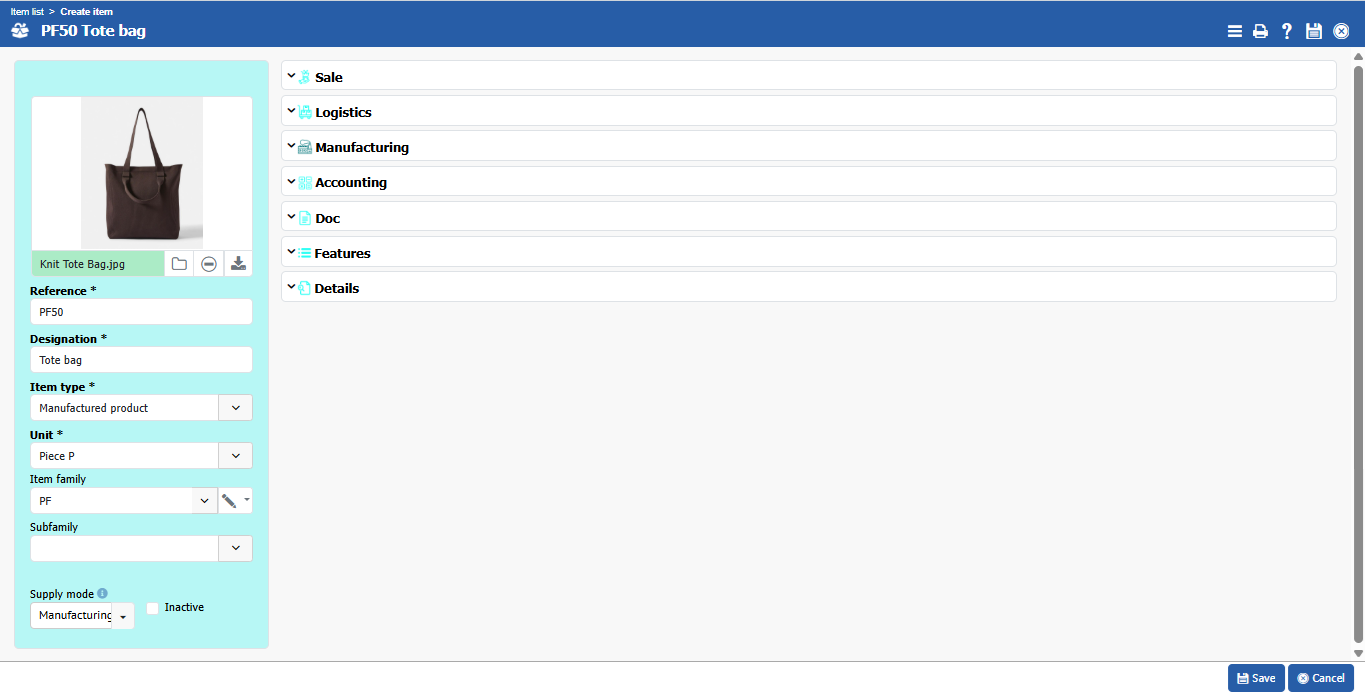
MASOCIETE received an order for 50 women's tote bags. The production manager then created the Tote bag item and entered all the necessary information about the item.
**Implementation:**
To create an article, go to **Files > Item > Items**.
## Bill of Materials and ranges
To manufacture a product, its components need to be put together. A set of operating procedures also needs to be created to list all the stages involved in making an item.
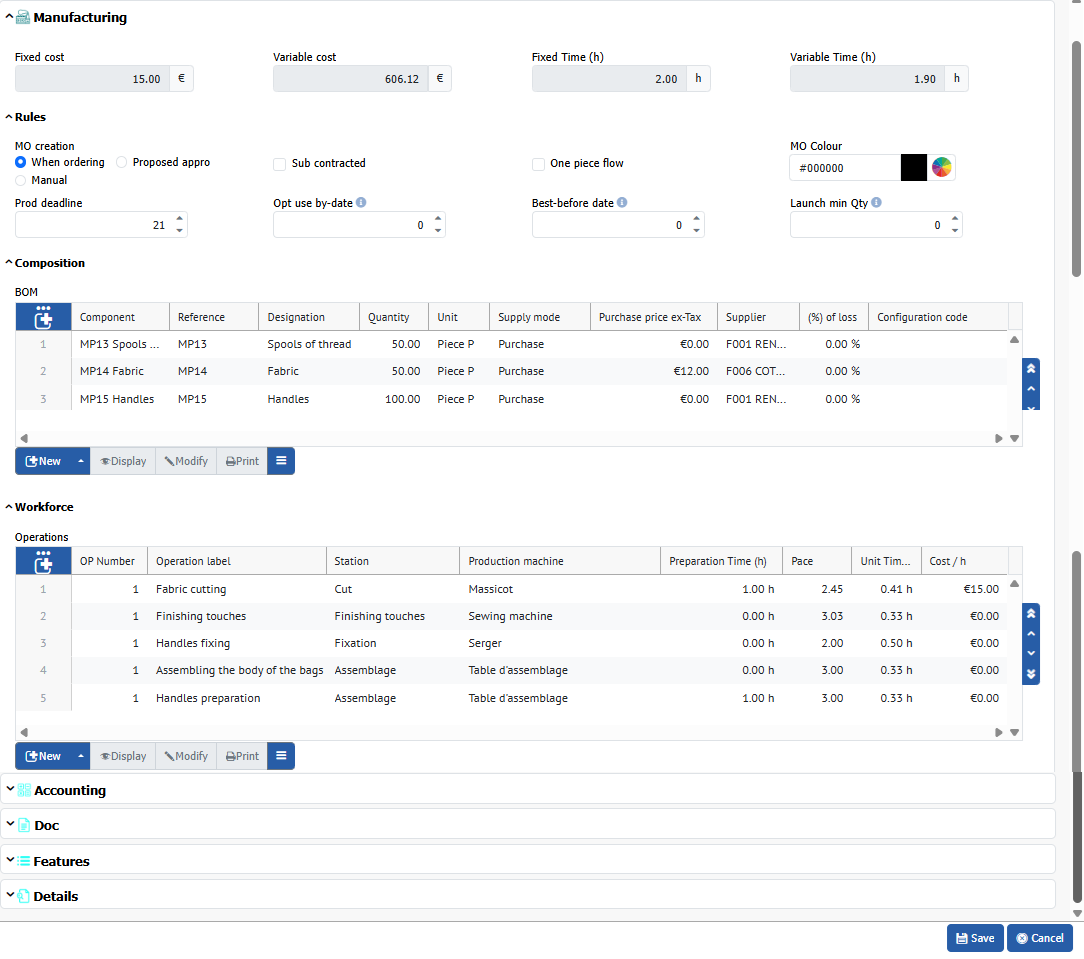
Also in the item's description, the company lists the components needed to manufacture the tote bags, for example: 50 pieces of fabric, 50 spools of thread, and 100 handles.
It is also essential to list the production steps, known as workforce, such as: cutting the fabric, preparing the handles, assembling the body of the bag, attaching the handles, and then finishing touches.
**Implementation:**
While remaining in the item file, open \[Production] and fill in the components for manufacturing your item one by one.
## Machines, stations, and maintenance: creation of production machines and stations.
Before starting production, the company must register the machines used and the corresponding stations.
### Production machine creation
A production machine is used to produce and assemble items to be manufactured as part of a production order.
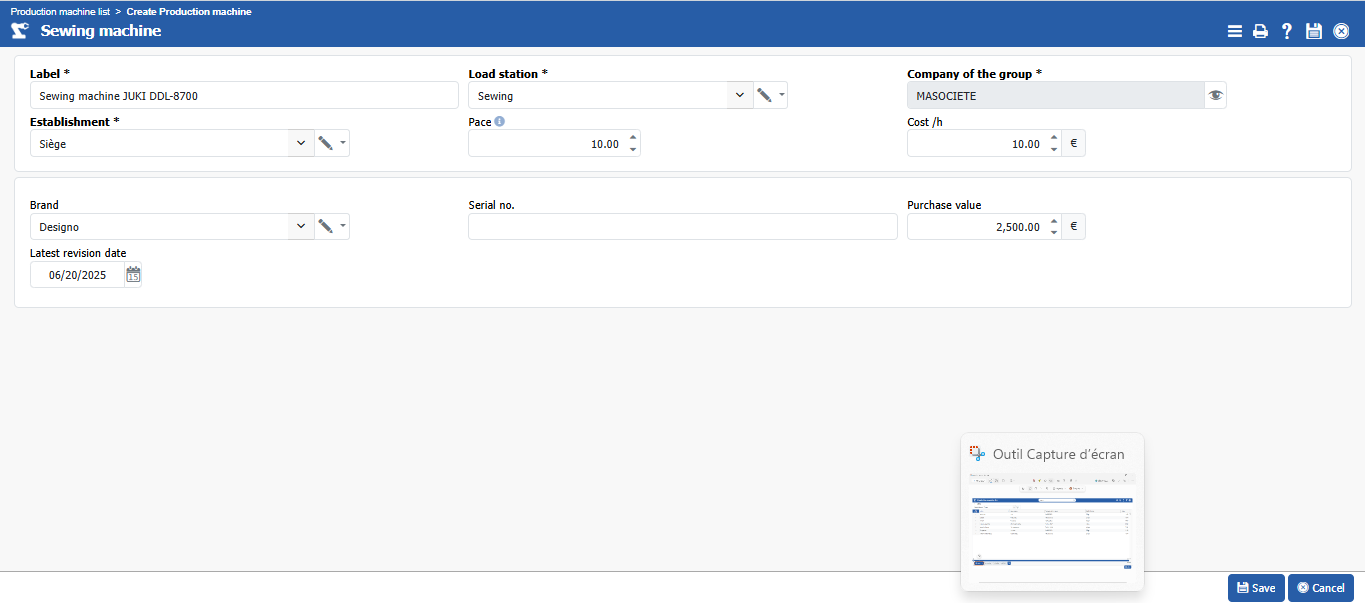
The company has just acquired a new industrial flatbed sewing machine for assembling tote bags. To integrate it into the management system, the production manager enters the necessary information: machine name (JUKI DDL-8700 sewing machine), type (sewing machine), associated workstation, and production rate. Once the machine is registered, it becomes available to be assigned to manufacturing orders in order to produce and assemble items in the manufacturing process.
**Implementation:**
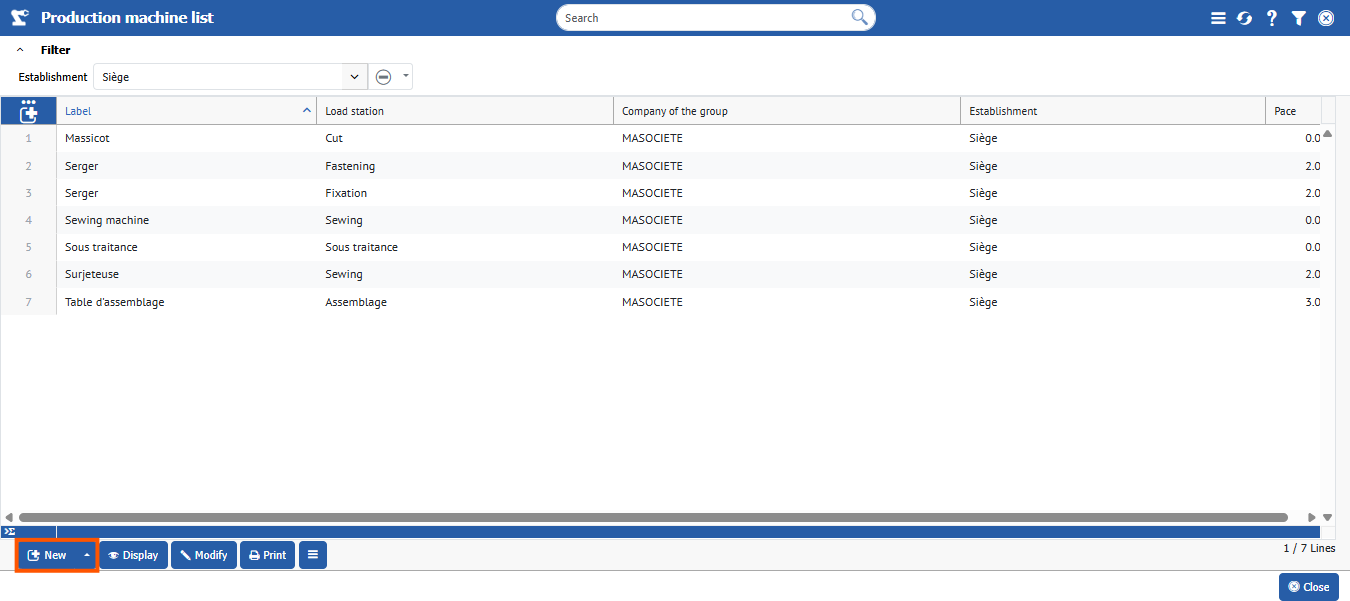
To create your new machine in your system, go to **Production > Production machine list**, then click **\[\[New]]**.
Now fill in the **Label**, **Station**, **Establishment**, and other required fields such as Brand, Pace, etc.
Don't forget to **save**.
### Production station
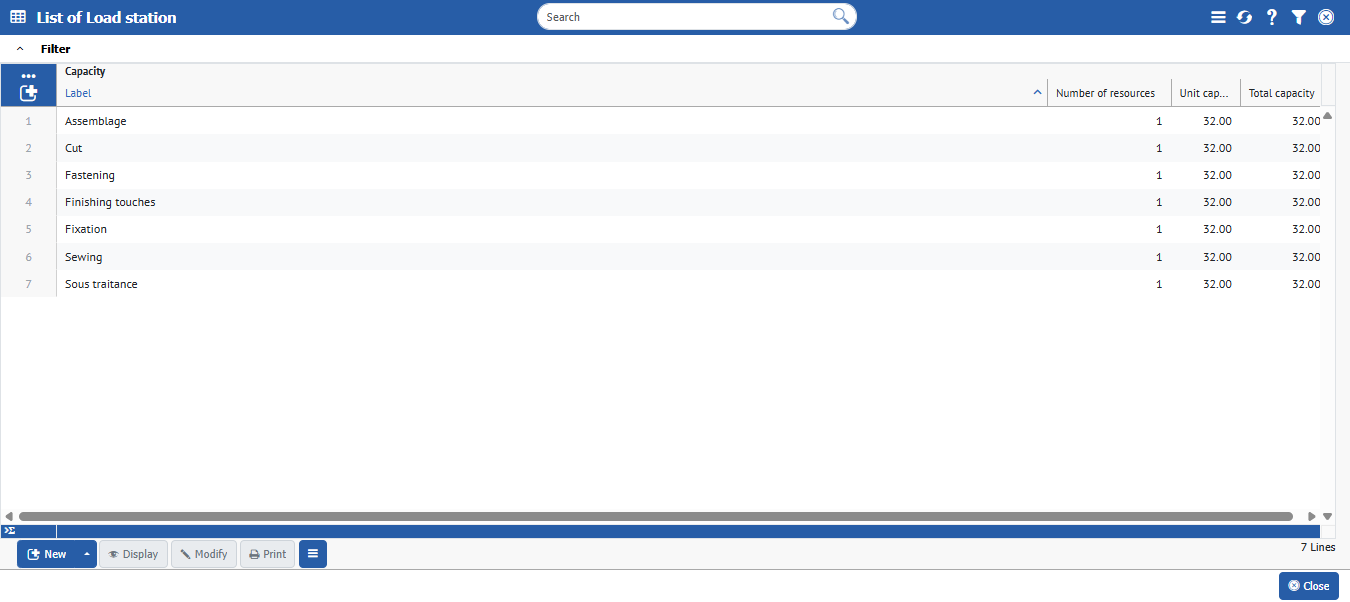
When planning production, the workload item allows you to anticipate resource mobilization by viewing available capacity and workload per workshop.
The company plans to launch production of 200 tote bags for the following week. During planning, the manager consults the workload items in the production module to check the available capacity of the sewing machines in the workshop.
**Implementation:**
To check load items, go to **Production > Workload and capacity > Production station.**
---
# Agent Instructions
This documentation is published with GitBook. GitBook is the documentation platform designed so that both humans and AI agents can read, navigate, and reason over technical content effectively. Learn more at gitbook.com.
## Querying This Documentation
If you need additional information that is not directly available in this page, you can query the documentation by asking a question.
Perform an HTTP GET request on the following URL with the `ask` and `goal` query parameters:
```
GET https://doc.simax.fr/documentation-simax-anglais/functional/production/production-preparation-item-to-be-produced-bills-of-materials-and-ranges.md?ask=&goal=
```
`ask` is the immediate question: it should be specific, self-contained, and written in natural language.
`goal` is what the user is ultimately trying to achieve, the reason they need the answer. Sharing it helps GitBook give you a better, more relevant answer. A goal is most helpful when it describes the outcome the user wants rather than restating the question. For example, with `ask=how do I create an API token`, a goal like `automate deployments from our CI pipeline` lets GitBook tailor the answer to that use case.
The response will contain a direct answer to the question and relevant excerpts and sources from the documentation.
Use this mechanism when the answer is not explicitly present in the current page, you need clarification or additional context, or you want to retrieve related documentation sections.