> For the complete documentation index, see [llms.txt](https://doc.simax.fr/llms.txt). Markdown versions of documentation pages are available by appending `.md` to page URLs; this page is available as [Markdown](https://doc.simax.fr/documentation-simax-anglais/functional/multi-company-management/branch-orders.md).
# Branch orders
## Context:
EK France orders 950 chairs from MASOCIETE headquarters. At the time of the order, the head office had 845 chairs in stock. Aware that the sales agency had a stock of 150 chairs, the head office accepted EK France's order and ordered the necessary complement from its sister company, the sales agency.
## Implementation in Simax
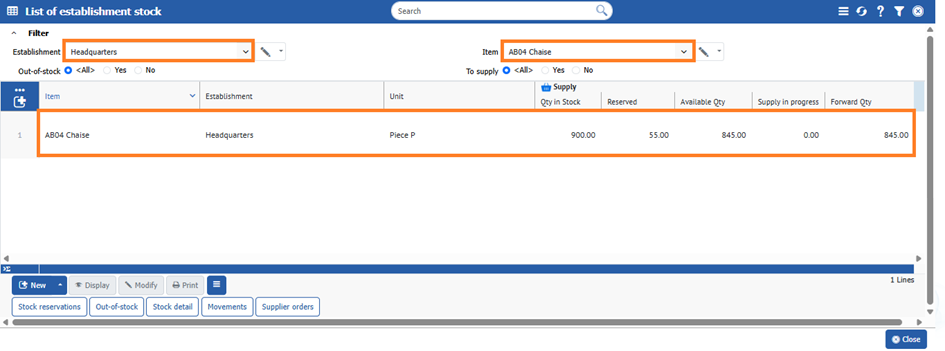
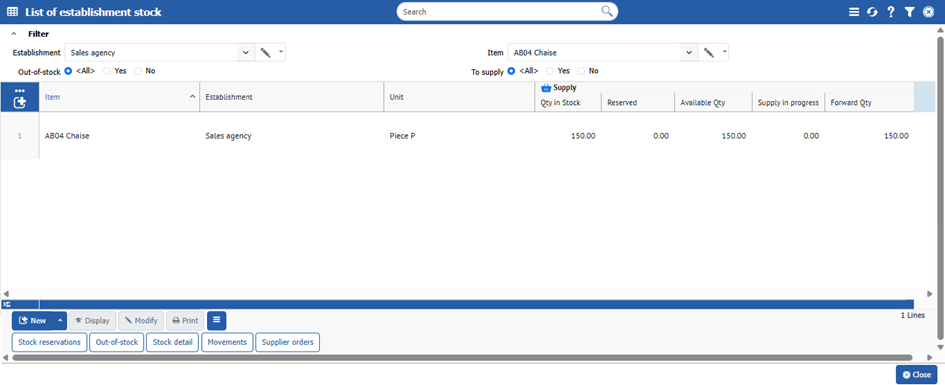
First, you need to check the chair stocks in each establishment by going to **Stock > Stock status**, then filter by establishment and item.
Here's for Head office
Here's for Sales agency
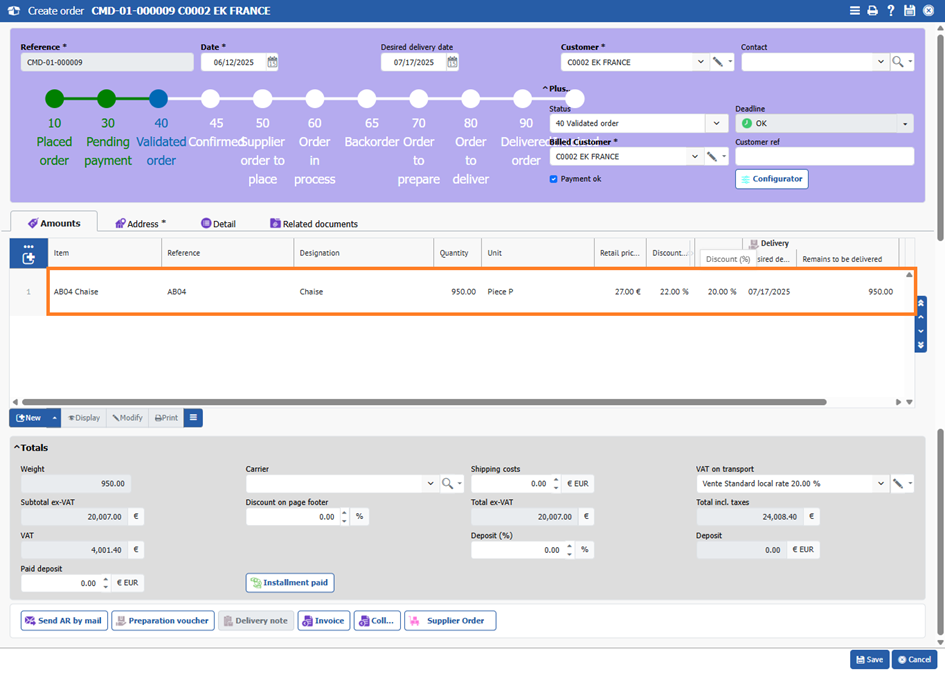
We can then launch the EK France order by clicking on **Sales > Order > Create Order.**
{% hint style="danger" %}
there is a visible restock in the order lines \[Replenishment].
{% endhint %}
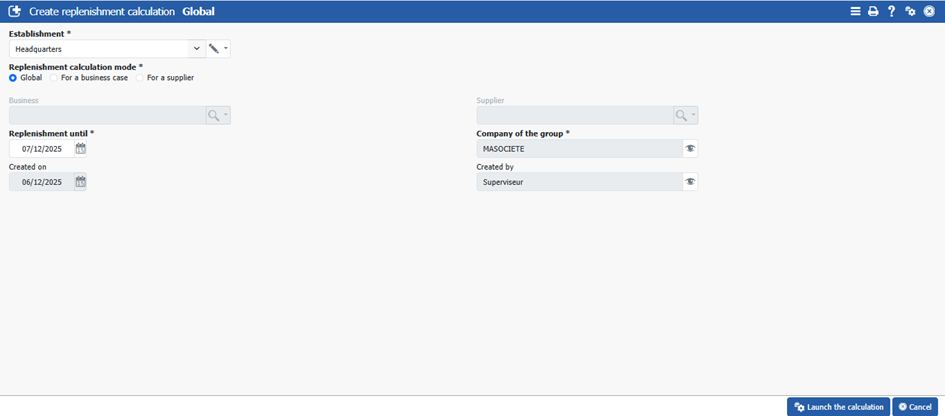
This requires a replenishment calculation. Click on **Purchase > Replenishment > Replenishment calculation.**
Finish with **\[\[Launch the calculation]].**
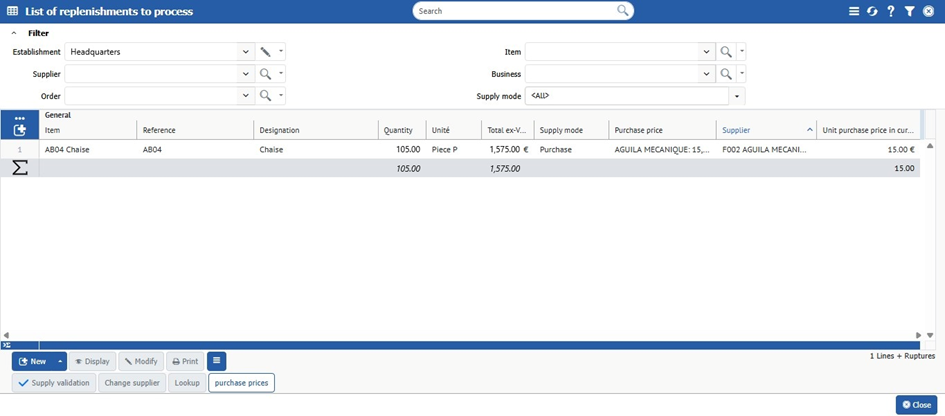
The list replenishment to process appears.
So there are 105 chairs missing from Headquarters.
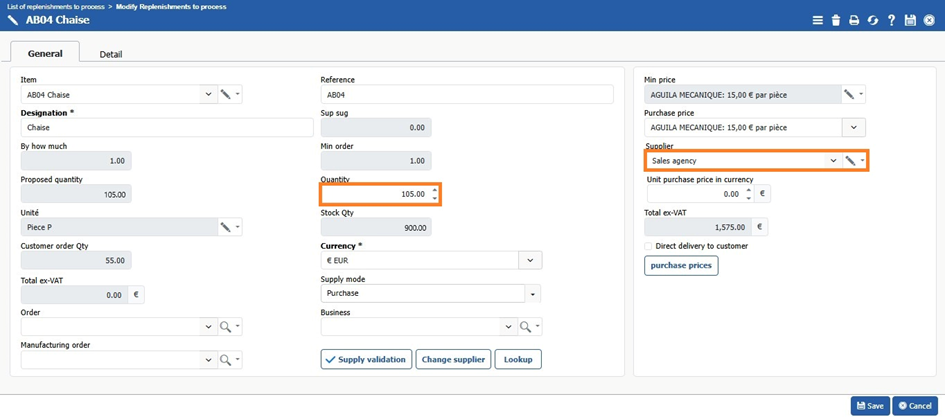
This time, as we will be replenishing supplies from the Sales Agency, we need to modify :
* the supplier "Sales agency"
* Price list if required.
And **\[\[Save]]**.
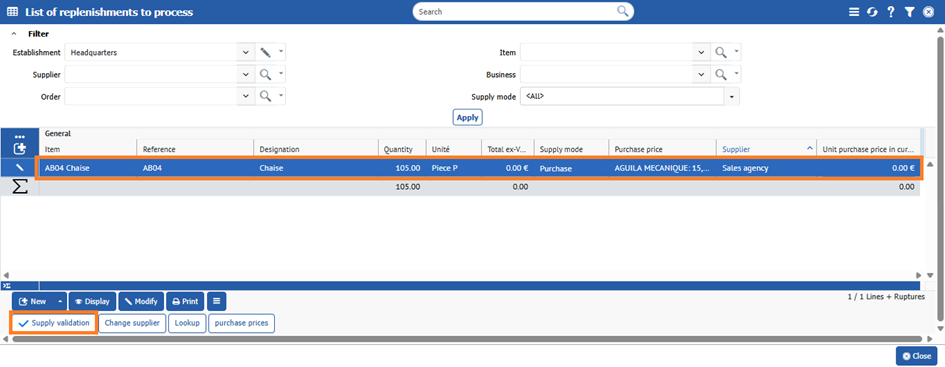
The supplier is now sales Agency.
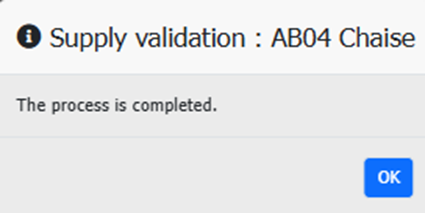
We can now validate the approach by clicking on **|Supply validation|**.
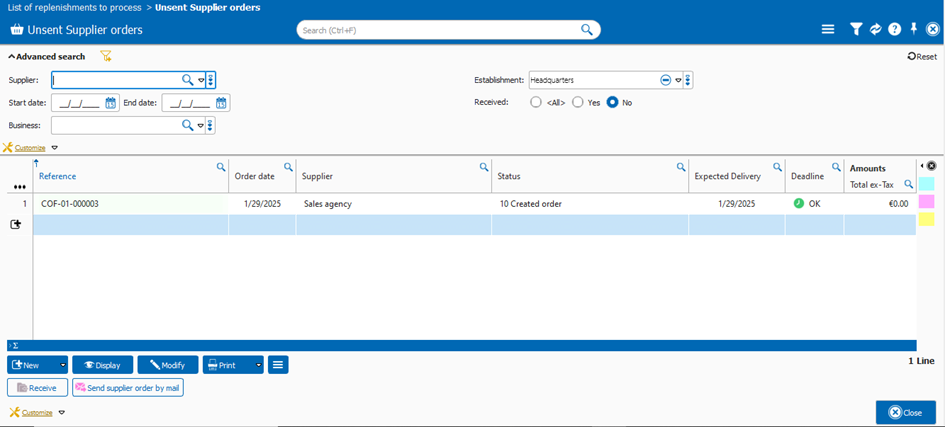
The replenishment has become a supplier order. Sales agency behaves like a supplier.
The sales agency must deliver the order to the headquarter before the latter can accept it. The headquarter must only accept items specifically delivered by the commercial agency.
For example, if items are tracked by serial number and the agency delivers items numbered 2222 and 3333, headquarter cannot record the receipt of an item with the number 4444. This ensures inventory consistency and accuracy.
---
# Agent Instructions
This documentation is published with GitBook. GitBook is the documentation platform designed so that both humans and AI agents can read, navigate, and reason over technical content effectively. Learn more at gitbook.com.
## Querying This Documentation
If you need additional information that is not directly available in this page, you can query the documentation by asking a question.
Perform an HTTP GET request on the following URL with the `ask` and `goal` query parameters:
```
GET https://doc.simax.fr/documentation-simax-anglais/functional/multi-company-management/branch-orders.md?ask=&goal=
```
`ask` is the immediate question: it should be specific, self-contained, and written in natural language.
`goal` is what the user is ultimately trying to achieve, the reason they need the answer. Sharing it helps GitBook give you a better, more relevant answer. A goal is most helpful when it describes the outcome the user wants rather than restating the question. For example, with `ask=how do I create an API token`, a goal like `automate deployments from our CI pipeline` lets GitBook tailor the answer to that use case.
The response will contain a direct answer to the question and relevant excerpts and sources from the documentation.
Use this mechanism when the answer is not explicitly present in the current page, you need clarification or additional context, or you want to retrieve related documentation sections.