> For the complete documentation index, see [llms.txt](https://doc.simax.fr/llms.txt). Markdown versions of documentation pages are available by appending `.md` to page URLs; this page is available as [Markdown](https://doc.simax.fr/documentation-simax-anglais/functional/accounting/analytical-accounting/definition-of-analytical-distribution.md).
# Definition of analytical distribution
To track and analyze **costs** and **profitability**, it is essential to structure and organize information according to **analytical axes**.
In our example, we will **distribute sales by department and by region**.
To do this, **analytical management must be enabled by checking** the corresponding box in:\
**Settings > Plug-ins and option selection, \[\[Accounting]].**
Then click **\[\[Save]].**
### Analytical axes and codes
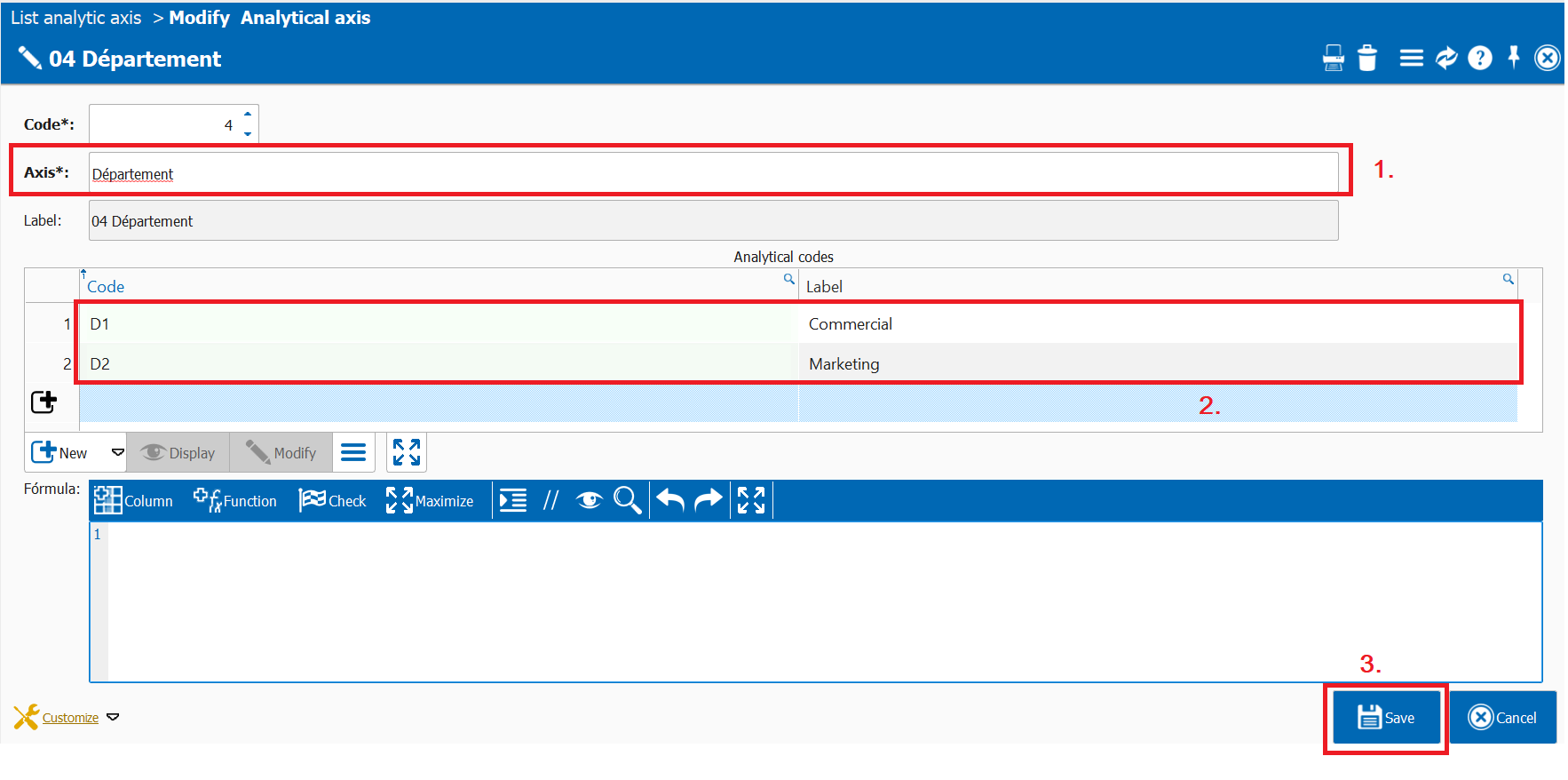
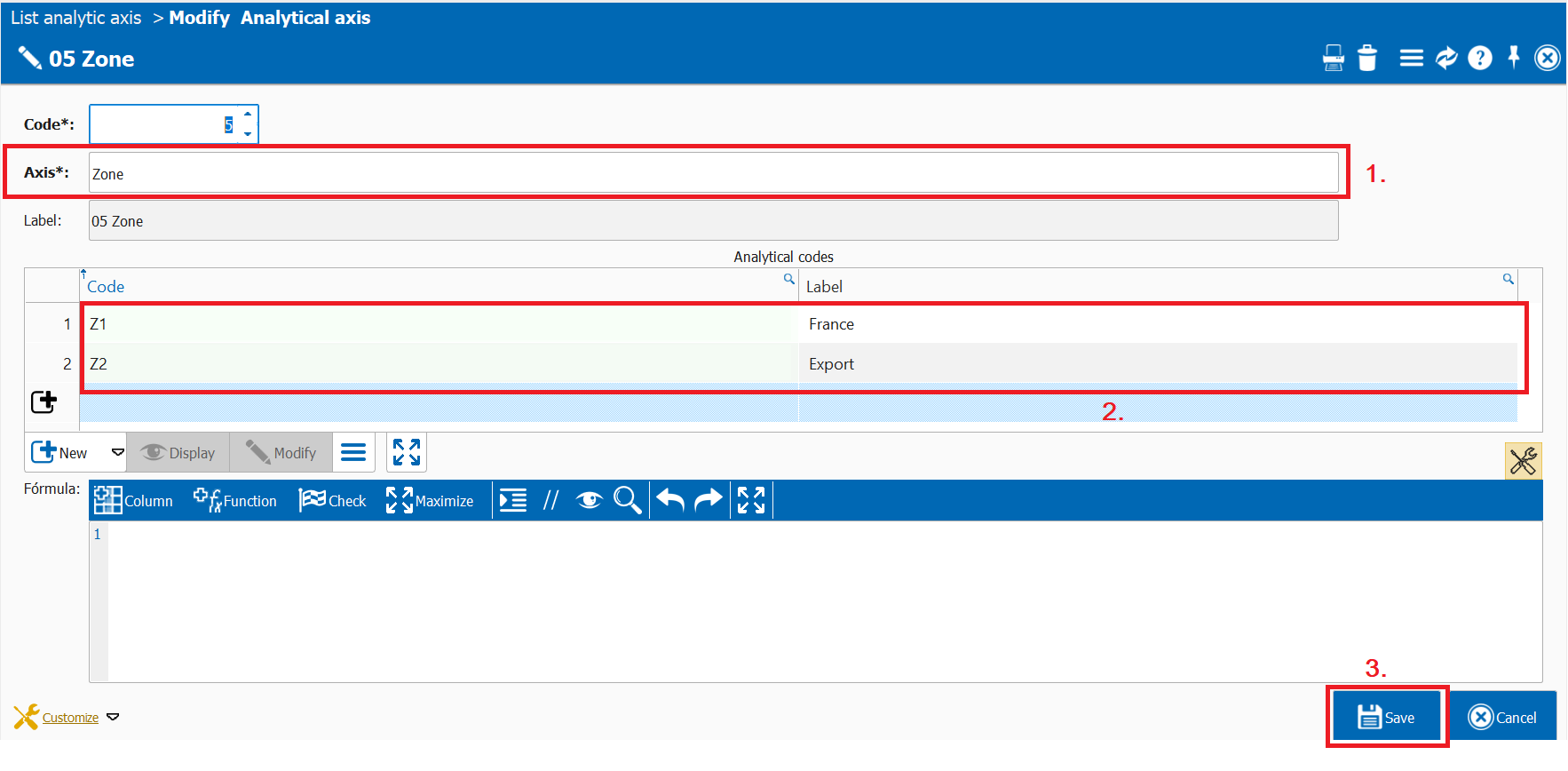
Next, it is necessary to **define the analytical axes** via:\
**Accounting > Basic files > Analytical chart of accounts > Analytical axes.**\
Here you can **create the axes** and **associate the different values** corresponding to the available analytical codes.
{% hint style="info" %}
The analytical code formula allows you to dynamically assign the analytical code during allocations.\
It is automatically applied in the allocation lines. See [#dynamic-analytical-code](#dynamic-analytical-code "mention").
{% endhint %}
Next, it is necessary to **define an analytical distribution**, which will be used on documents such as invoices and will determine the breakdown by axis.\
To do this, go to:\
**Accounting > Basic files > Analytical chart of accounts > Analytical distributions**.\
For example, you can define a **method of distribution for invoices.**
{% hint style="info" %}
**Analytical distribution lines** that contain **neither an analytical code nor a formula** are highlighted in yellow.\
This makes it easier to **identify incomplete lines**, especially after **importing a list of analytical distribution** from an Excel file or any other import file.
{% endhint %}
## Note
### Multi-axis distribution
It is possible to **define a distribution that includes repeated axes** with different analytical codes.\
However, the **total distribution for each axis** must always equal **100%**.
### Dynamic analytical code
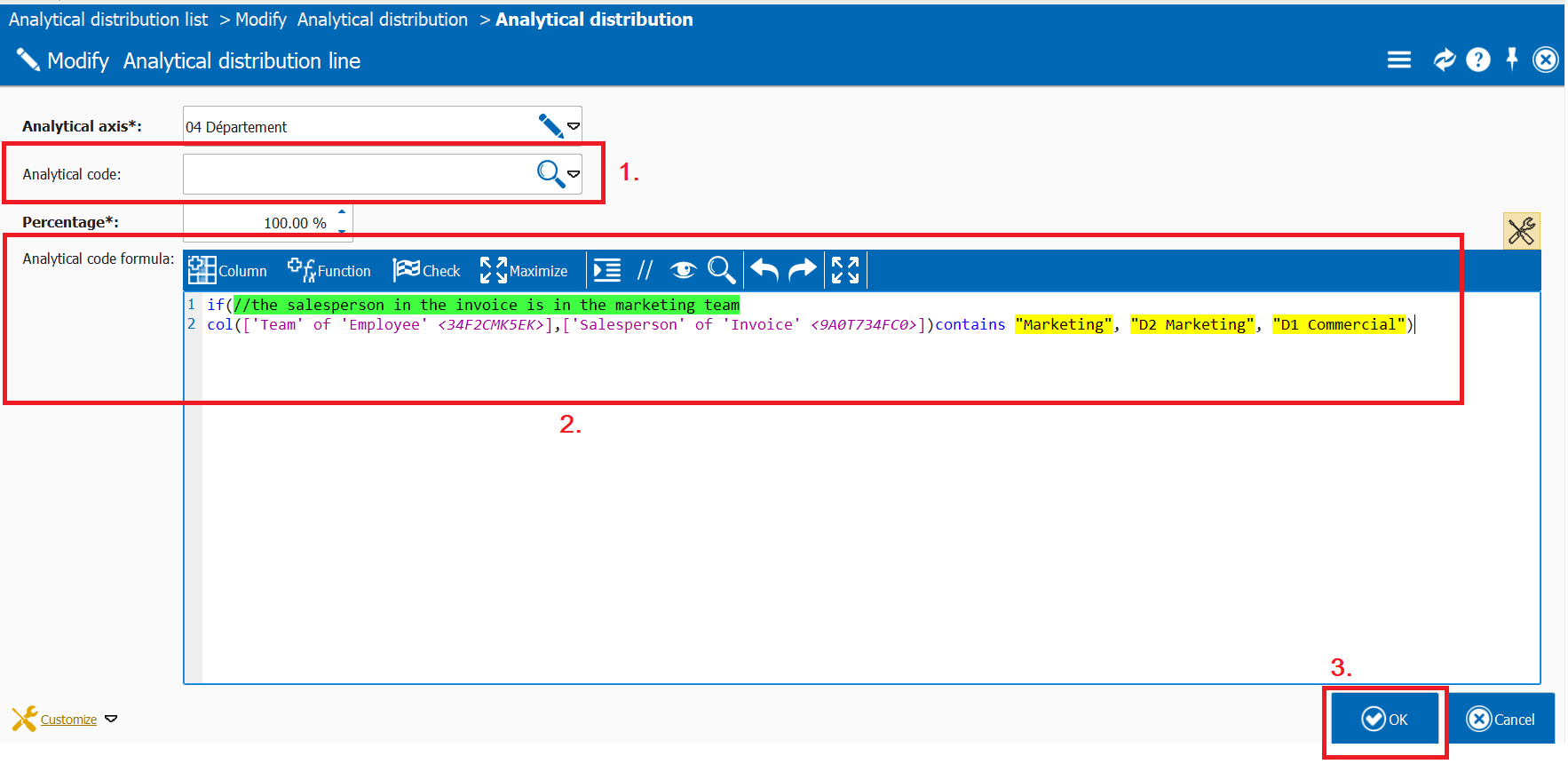
In a distribution, it is possible **not to fix the value of the analytical code** and to **make it dynamic**, so that the code differs depending on each situation.
To do this, simply **leave the analytical code empty** and **define a formula** that will automatically determine the analytical code depending on the case.
In our example, the distribution will be **used for invoices**, so the formula must depend on the information available in the invoice.
Here, we want the **analytical code** to be :
* **D2 Marketing** if the salesperson on the invoice belongs to the Marketing team,
* **D1 Commercial** otherwise.
The **analytical code will be automatically calculated** when the invoice is created.
### Analytical distribution by account
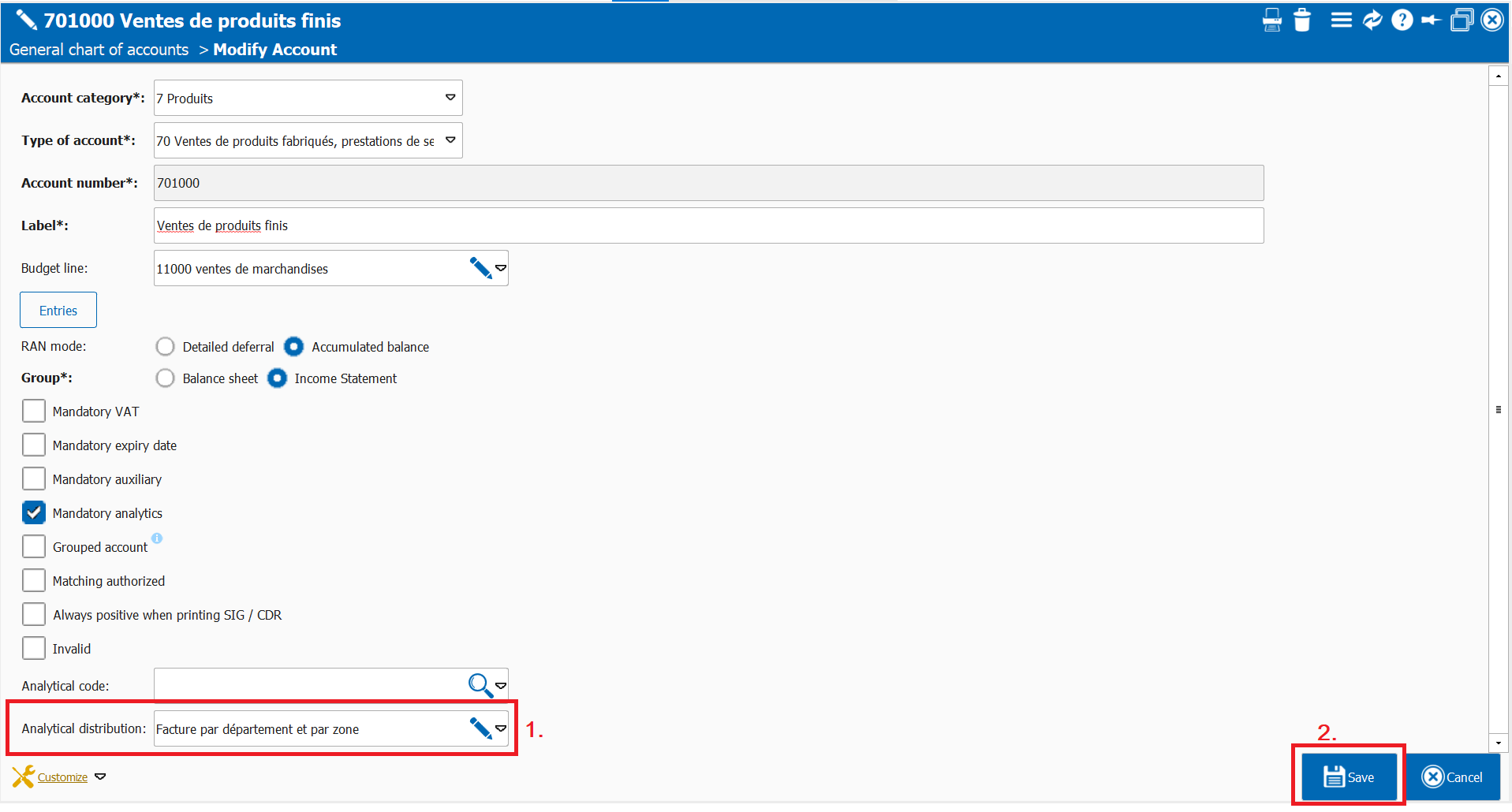
It is also possible to directly **assign an analytical distribution to accounts** (expense or income accounts).
As a result, documents and amounts related to these accounts will be **automatically allocated according to the analytical distribution** defined for each account.
To proceed, go to:\
**Accounting > Basic files > General chart of accounts**, open the record of the relevant account, then **assign it an analytical distribution**.
{% hint style="info" %}
It is also possible **to assign an analytical code** to an account, **but it is not possible to use both an analytical code and an analytical distribution at the same time.**
{% endhint %}
---
# Agent Instructions
This documentation is published with GitBook. GitBook is the documentation platform designed so that both humans and AI agents can read, navigate, and reason over technical content effectively. Learn more at gitbook.com.
## Querying This Documentation
If you need additional information that is not directly available in this page, you can query the documentation dynamically by asking a question.
Perform an HTTP GET request on the current page URL with the `ask` query parameter, and the optional `goal` query parameter:
```
GET https://doc.simax.fr/documentation-simax-anglais/functional/accounting/analytical-accounting/definition-of-analytical-distribution.md?ask=&goal=
```
`ask` is the immediate question: it should be specific, self-contained, and written in natural language.
`goal` is optional and describes the broader end goal you are ultimately trying to accomplish on behalf of the user. GitBook uses it to tailor the answer towards what is most useful for that goal.
The response will contain a direct answer to the question and relevant excerpts and sources from the documentation.
Use this mechanism when the answer is not explicitly present in the current page, you need clarification or additional context, or you want to retrieve related documentation sections.